Research case law in ChatGPT or Claude
Connect klaracase to ChatGPT or Claude, ask a legal question and read the source card. Set up in a few minutes.
Connect klaracase to ChatGPT or Claude to search decisions, statutes, and administrative guidance from klaracase holdings. The assistant provides citations for each result. You need a klaracase account and a ChatGPT or Claude plan that supports connectors.
1. Connect
Setup takes a few minutes. Follow the guide for ChatGPT or the guide for Claude. Both explain how to connect and grant access.
The page AI assistants compares both options.
2. Ask
Enable klaracase in the chat. Ask your question, specifying the legal field and the court:
Can a partnership under the German Civil Code give notice to a tenant because a partner needs the flat for personal use? Name decisions of the BGH with file numbers.
Use legal terminology. Request file numbers to include them in the answer. An example citation is BGH, Urt. v. 27.06.2007 – VIII ZR 271/06. A relevant statute is § 573 BGB.
3. Read the source card
A source card appears below the response. Each row lists the court, the date, and the file number.
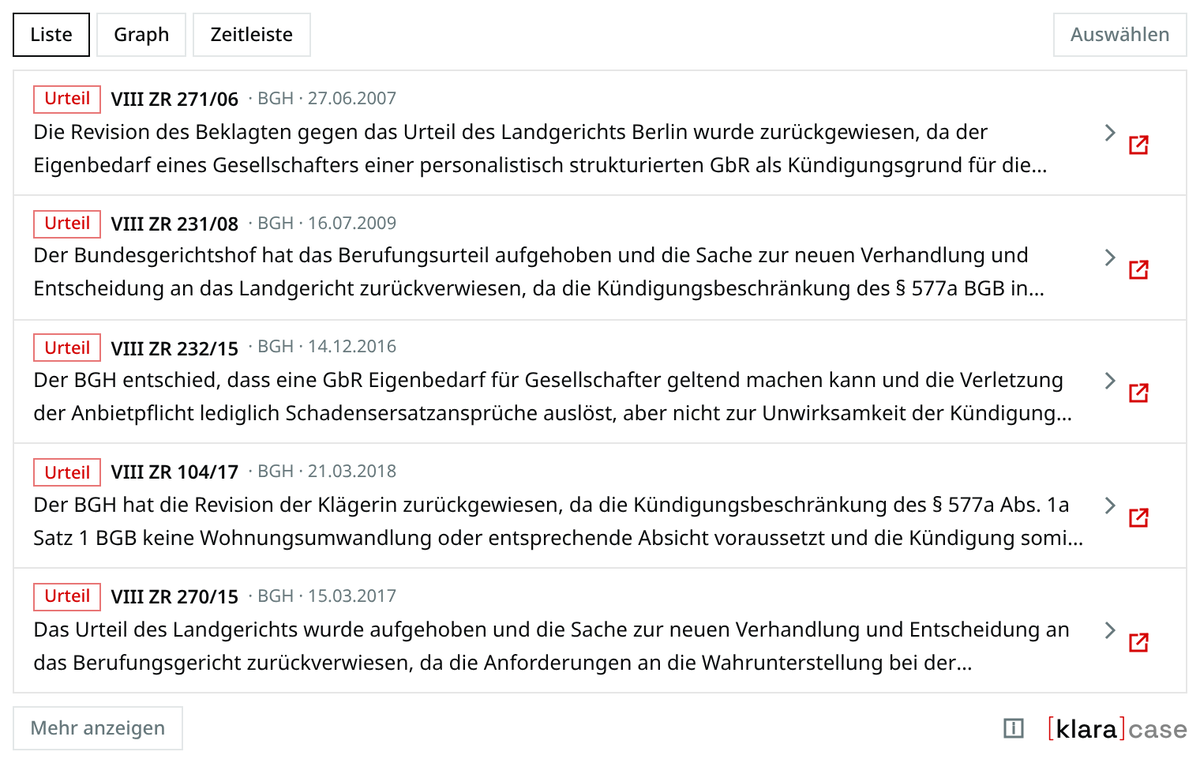
Click a decision to expand it. The card shows the outcome, legal question, headnote, and cited statutes. Click "Auf klaracase öffnen" to view the full text.
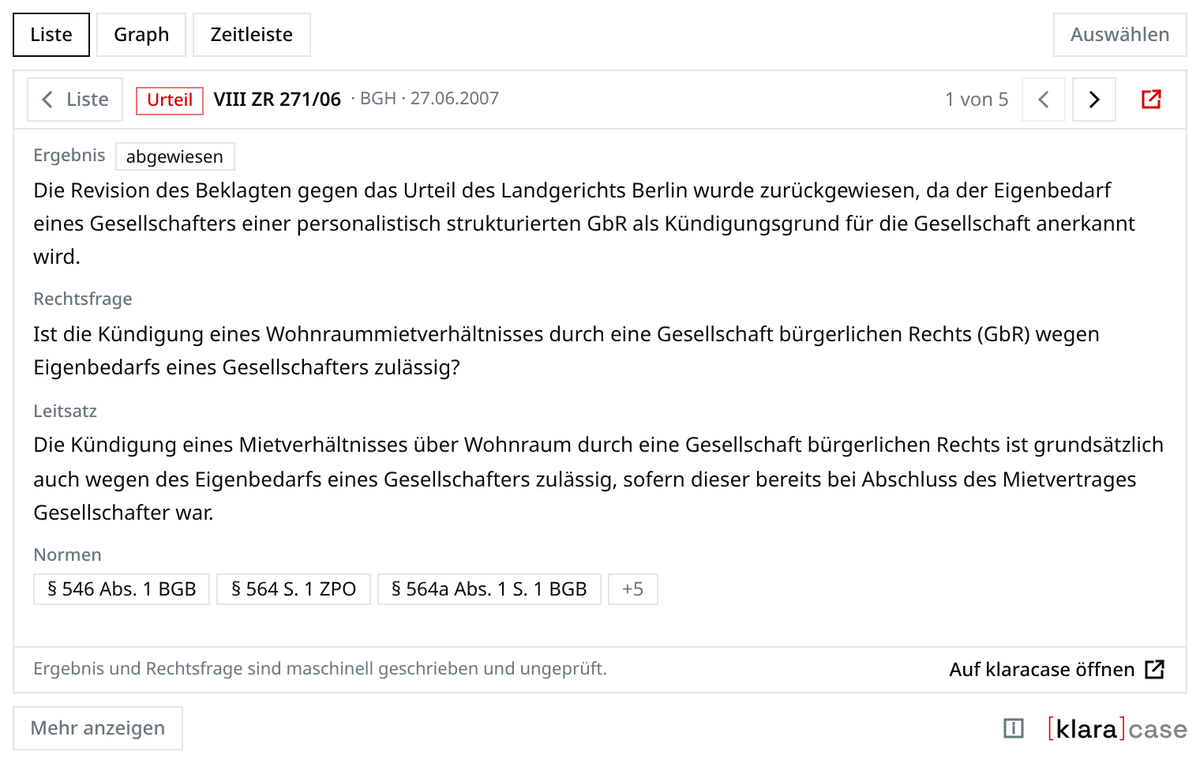
The outcome and legal question are generated automatically and are unverified. Each opened decision notes this. The headnote comes from the court decision when available.
What it costs
Each search costs 1 credit. Opening a decision also costs 1 credit. Displaying the card is free. Repeating a search within the same credit period costs no extra credits. New accounts get 30 starter credits. See pricing for available plans.
Finally
klaracase does not provide legal advice. Verify every source directly before relying on it. To verify citations in an existing text, see the tutorial Check the citations in a brief.